Using Mobile Devices for Asset Management
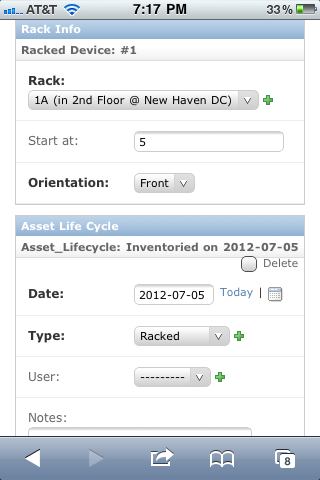
Device42 provides a web interface for managing device and asset inventory from a mobile device. Scan a printed QR code label to view and edit details for that object.
- Use WLAN or a secure VPN to connect to the Device42 appliance URL on your network. Do not open it to the public internet.
- The mobile view supports device and asset views related to asset lifecycle management only. Full Device42 web portal functionality is not supported on mobile devices.
Scan the QR Code
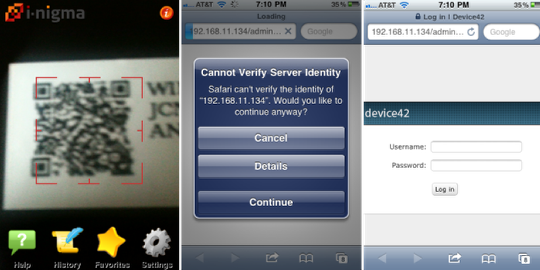
A printed QR code contains a URL to the Device42 appliance for that object. You can use any free QR reader app for iPhone or Android. Once the reader scans the QR code, it brings you to the Device42 login page and then to a page to manage that object.
Manage Inventory
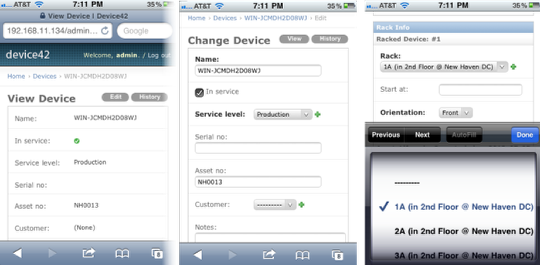
Basic location and asset lifecycle properties can be viewed or edited for the object.
The page is optimized for mobile devices and does not include the top menu. You can click Home to reach the main menu, but it is not formatted for small screens. Navigate to Devices > Mobile view for the mobile-formatted view.