Changing Device42 Appliance Hostname
You can change the Device42 Appliance hostname from either the Appliance Manager or the VM console. This page covers both methods.
Change the Hostname in the Appliance Manager
Log in to the Appliance Manager.
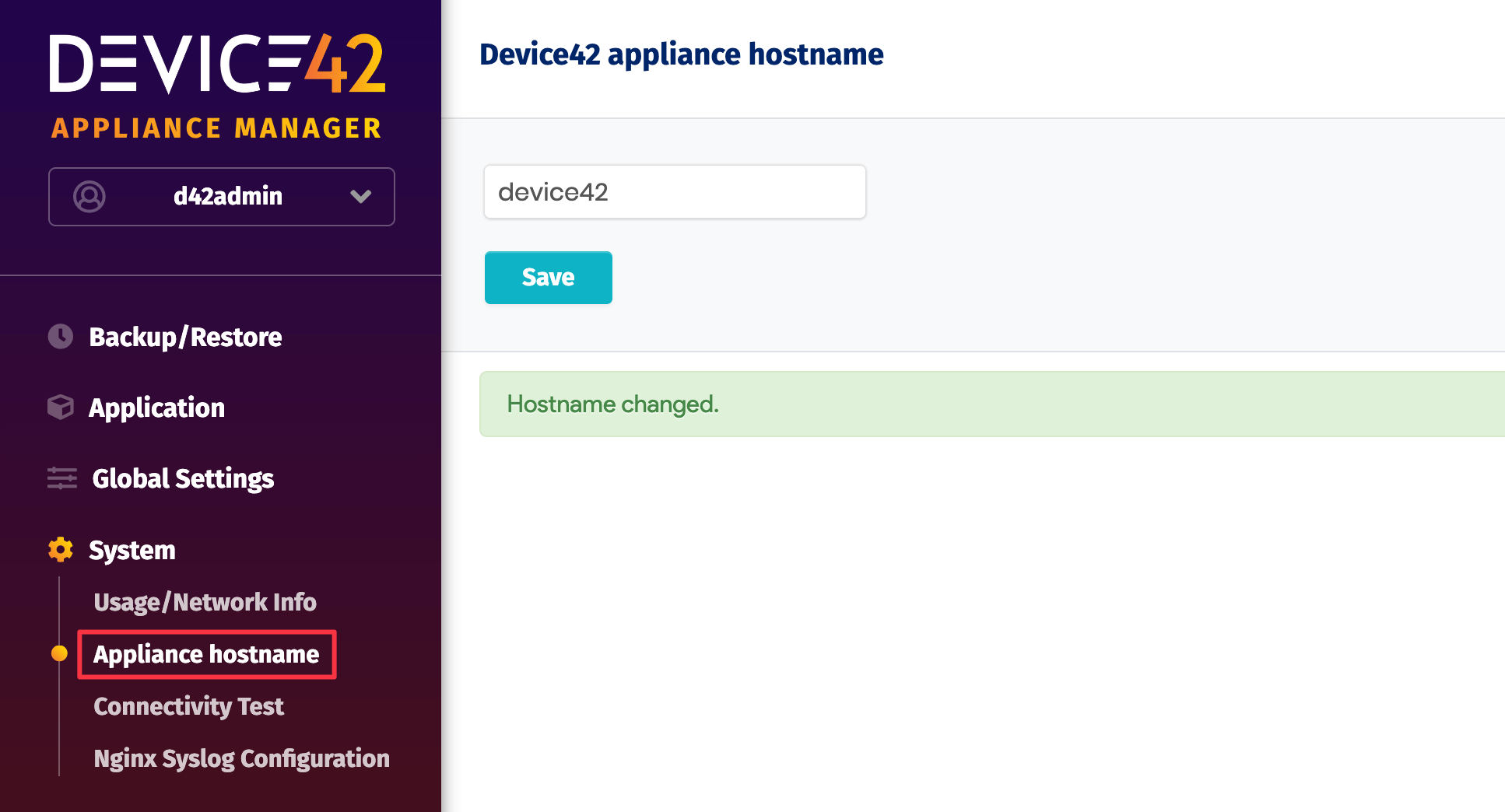
From the left panel, go to System > Appliance Hostname, enter the new hostname, and click Save. A success message will appear.
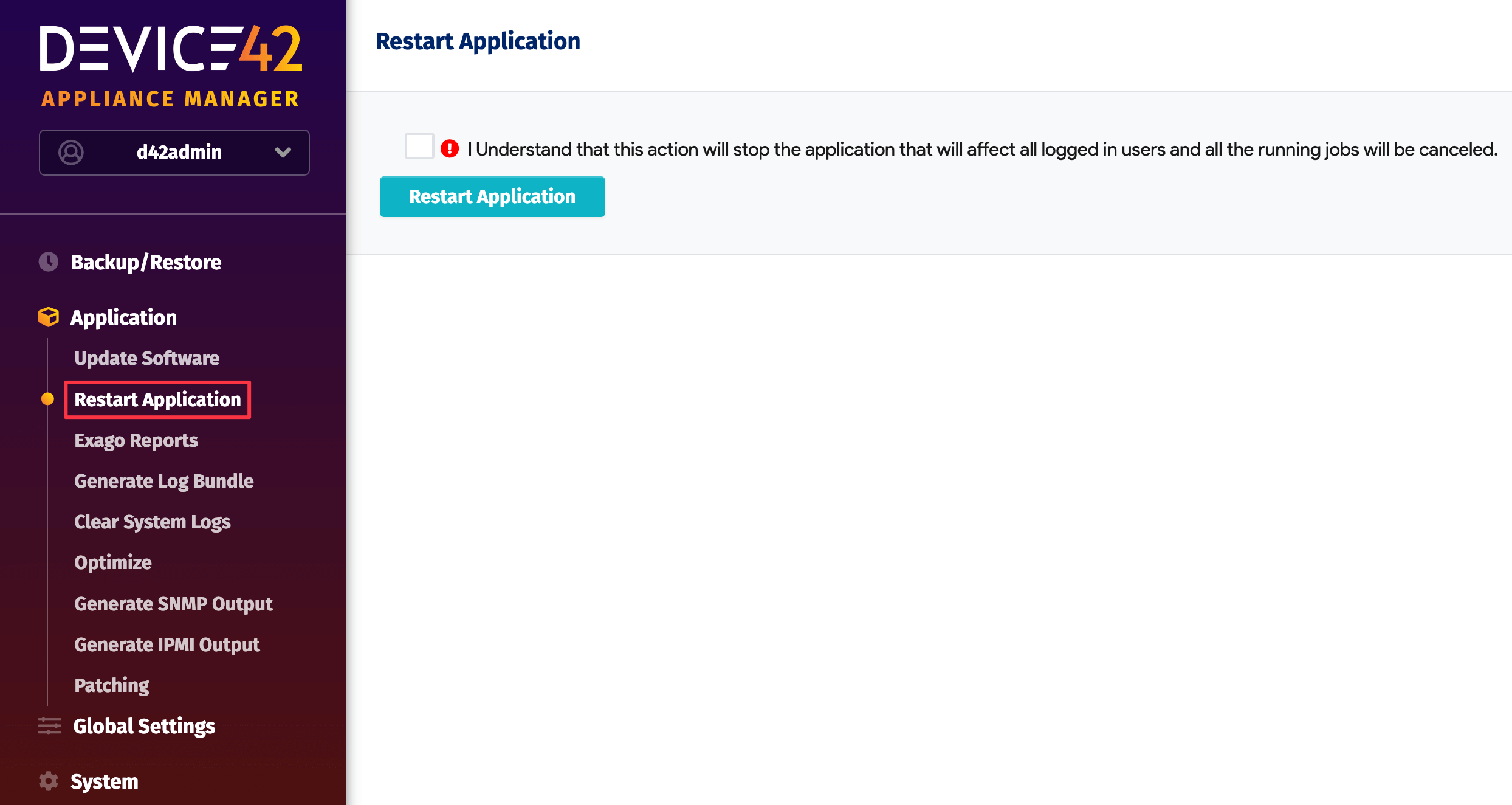
Restart the Device42 application by navigating to Application > Restart Application in the Appliance Manager.
Change the Hostname in the VM Console
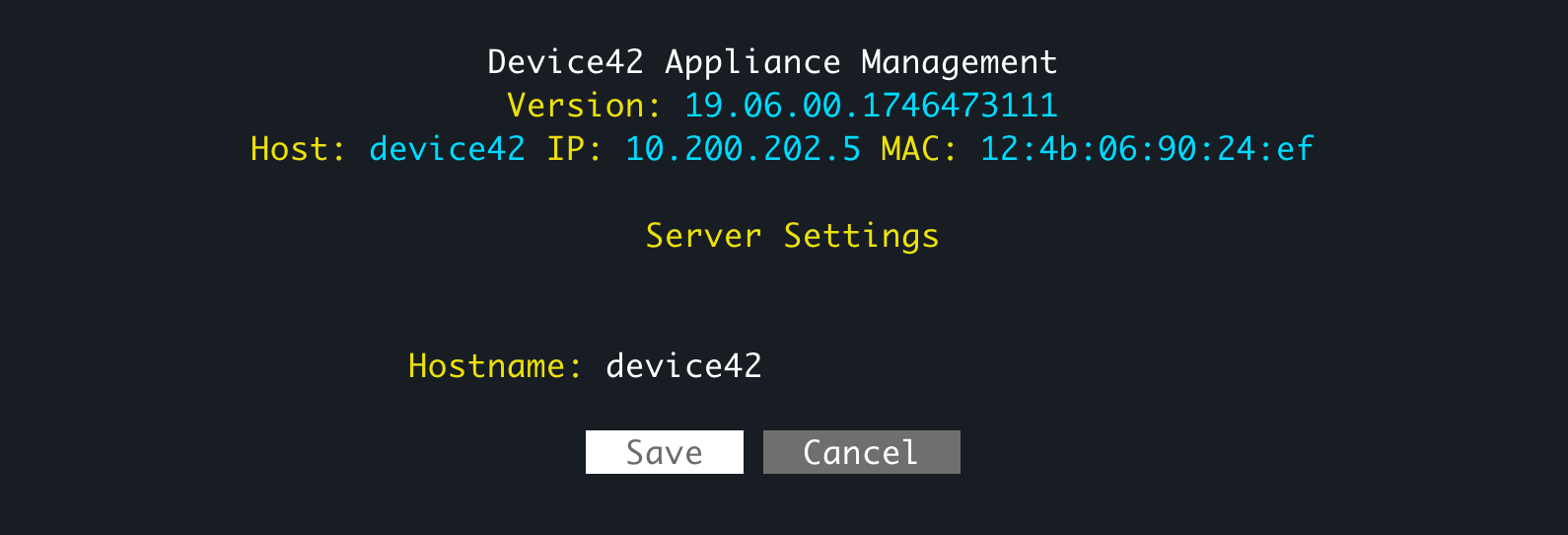
Log in to the VM console and select Server Settings from the main menu.
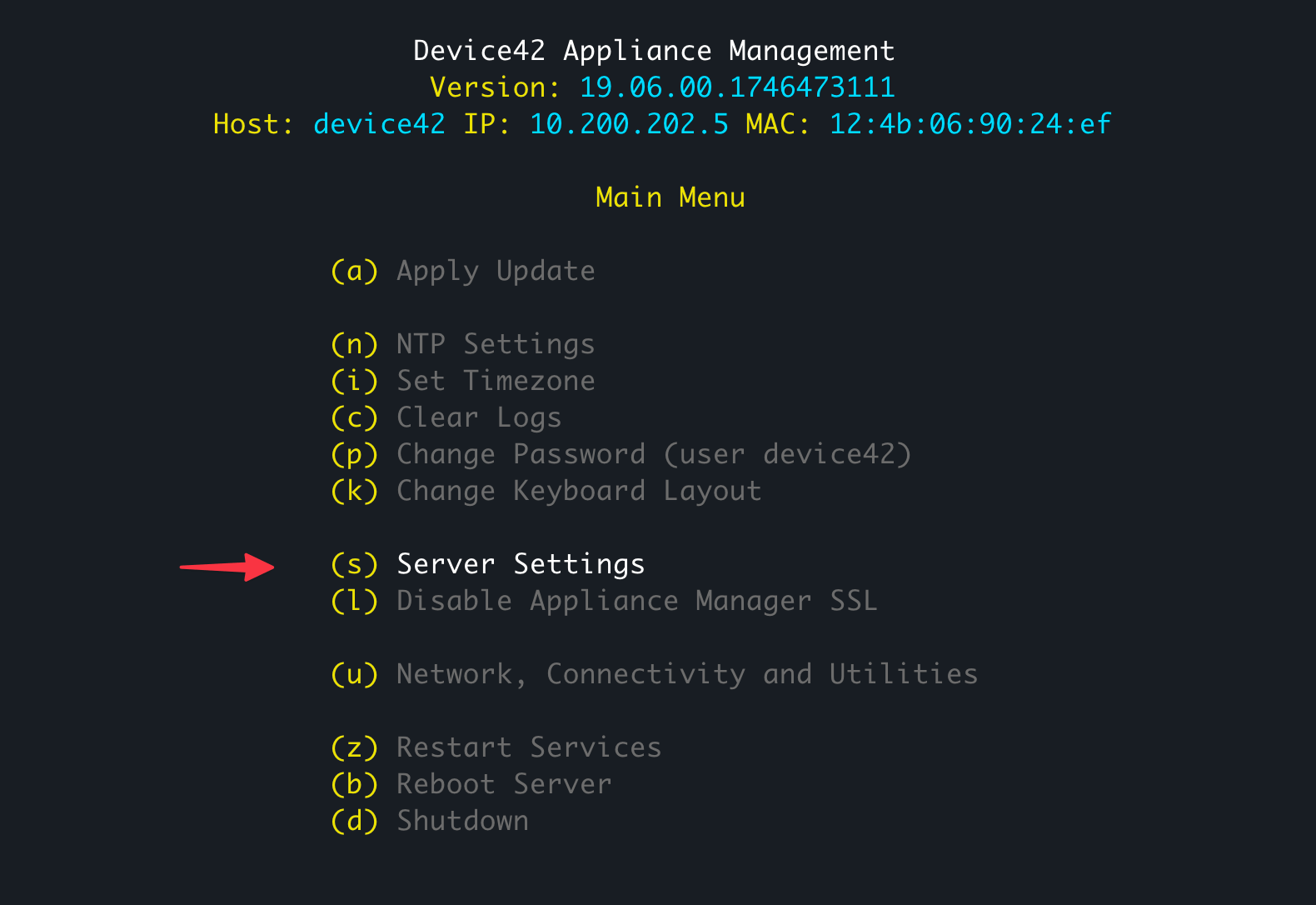
Enter the new hostname and select Save.
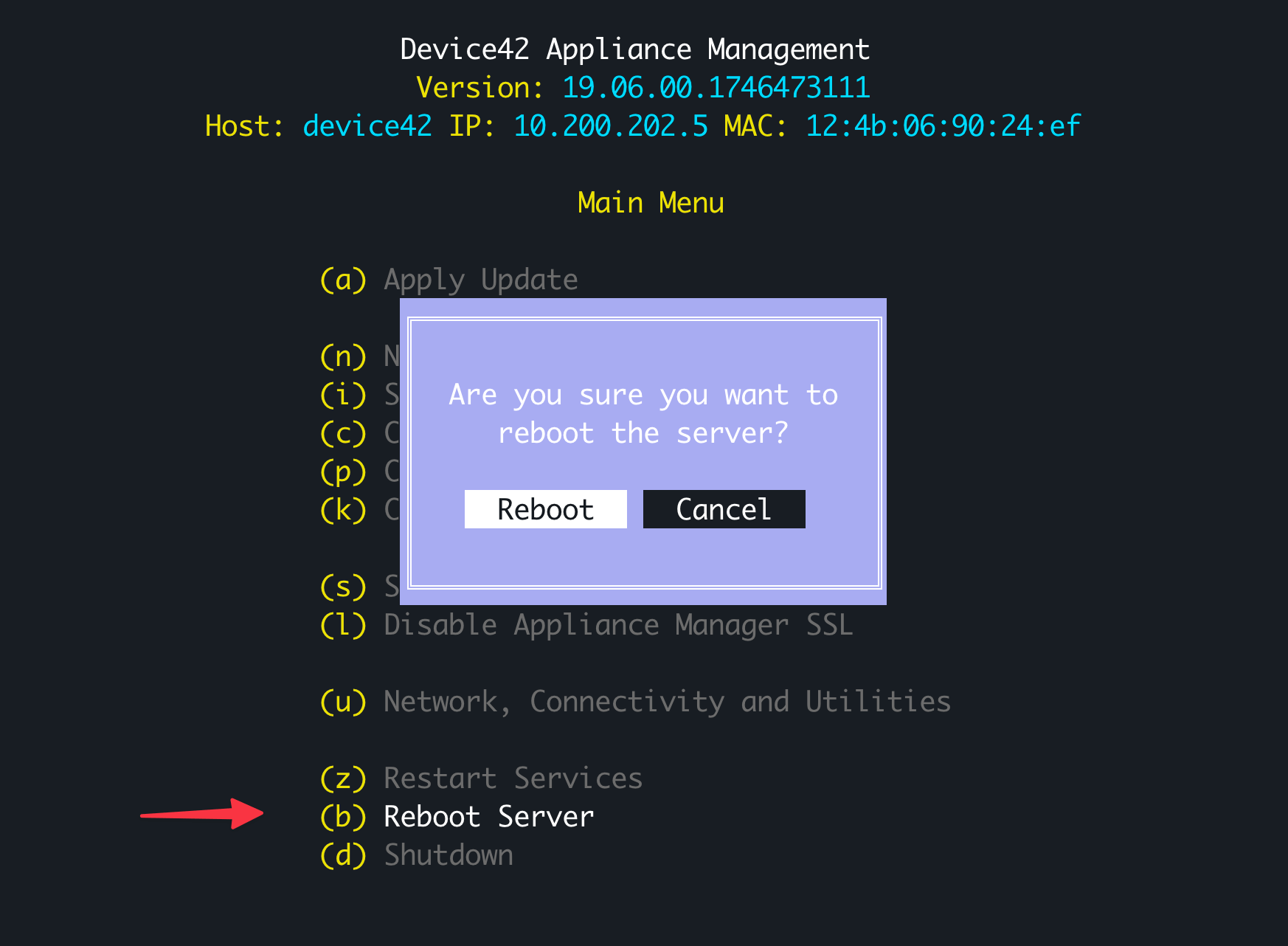
Select Reboot Server from the main menu and select Reboot to restart the server.